
"Photo to music video" means different things to different tools. Some animate one photo to a song you upload, some make a slideshow that cuts on the beat, and some make the person in the photo sing. HotelLobby.me does one specific job: two photos in, a music video of both performers rapping a duet out, with the music generated for you.
How to turn two photos into a music video
Upload two photos
One performer per photo: a person, a pet or a cartoon, anime or game character. The photos don't need to be taken together.
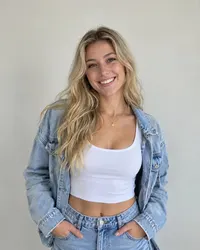
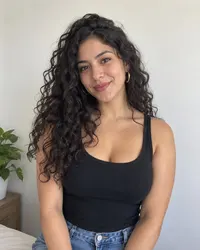
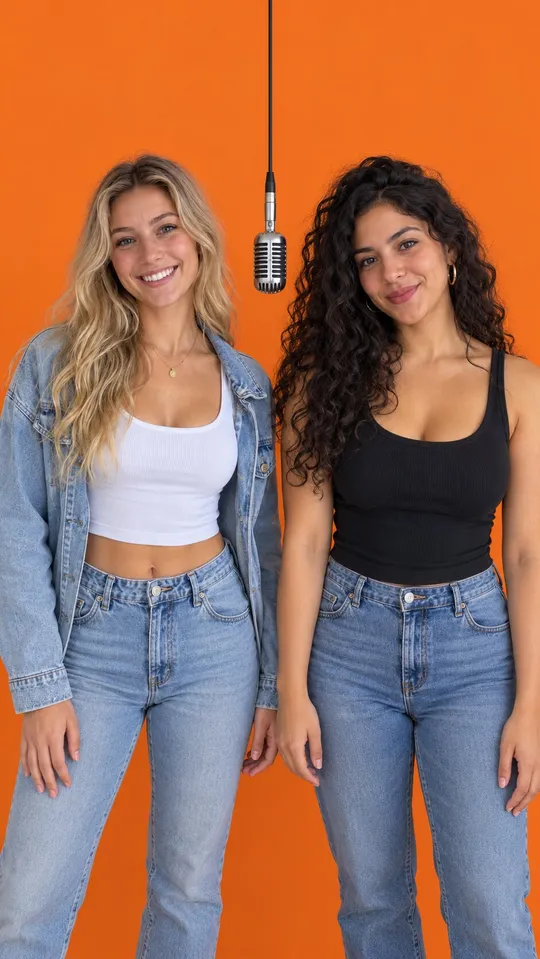
Choose format, quality and length
9:16 for TikTok, Reels and Shorts or 16:9 for YouTube; 768P or 1080P; 6, 10 or 15 seconds.
Generate and download
The video is ready in about two minutes as an MP4.
What kind of music video you get
Both performers stand in an orange booth under one hanging mic, the look of the Hotel Lobby performance. The left performer raps the first half and the right performer the second half while the other one hypes along. The camera stays locked, and the audio is a newly generated rap, not the original Hotel Lobby song.
Photo to music video tools compared
| Your goal | Tool type | What you provide |
|---|---|---|
| A music video for a song you already have | Beat-synced music video generator (for example Neural Frames or Freebeat) | Your track, plus photos or prompts |
| The person in one photo singing your song | Singing-photo or lip-sync tool | One photo and an audio file |
| A slideshow of many photos cut to music | Photo slideshow or template editor | Several photos and a song |
| Two people, pets or characters rapping a duet, no song needed | HotelLobby.me | Two photos, one performer each |
Tool categories as of October 2026. Check each tool for current features.
Which photos work best
- One subject per photo, face clearly visible and facing the camera.
- Good light and a sharp image; avoid sunglasses and heavy filters.
- Waist-up or head-and-shoulders crops work better than tiny full-body shots.
More in the photo tips.
What it can’t do
- It can't set the video to your own song or voice.
- It can't use a group photo or more than two performers.
- It makes one scene, the orange booth, not a multi-scene music video.